Features and Benefits
Step-by-step onboarding process
Face ID* or fingerprint login
*Available on iOS only.
Quick balance and transactions.
Frequently Asked Questions
-
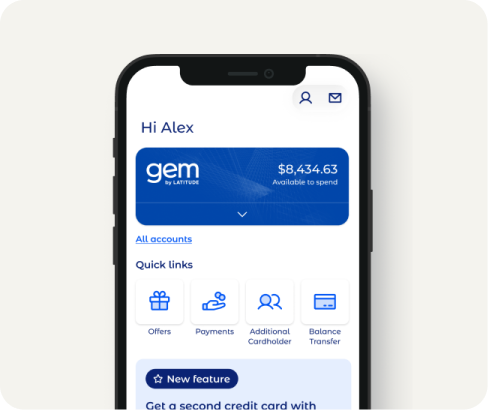
The Latitude App is our new app designed for mobile devices. It allows you to manage your Latitude Credit Cards 24 hours a day with access to your account balance, available credit and transaction history. Plus, you can use the app to find out ways to pay.
-
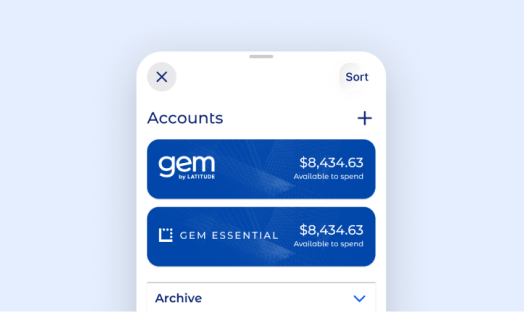
You'll need to download the app and create a Latitude ID. The Latitude ID is created when you successfully register in the Latitude App. This allows you to link all of your products under your unique ID, so you can see and manage them when you log in to the app. Latitude has created this ID to keep your details secure, and make signing in easy.
-
The process for adding all cards is the same, and you will need to enter your card number and DOB in order to receive a SMS verification. We are working to make this more simple in future. As an added security measure, we will check that the names on all accounts are identical (these may need to be updated otherwise). If there are any discrepancies in details between any accounts, you will need to get in touch to update your details.
-
The verification number that has been sent to you via the email provided is valid for 24 hours. The SMS verification code is valid for three minutes.
-
To ensure you receive your SMS verification during the account linking process you will need to make sure the mobile number associated with that particular card is up to date.
Once you have updated the mobile number you will need to wait 24 hours to re-attempt linking your account. -
Yes, on second log in of the Latitude App you will be offered to use touch ID/fingerprint ID on the app. This can later be changed in Settings.
-
The Latitude App is protected with a password chosen by you during the registration process.
-
Yes, in Australia the Latitude App has the capability to make direct transfer payments using your BSB and Account Number. This is not currently available in New Zealand.
-
It can take up to five days for your payment to process. Once it has been processed, you will be able to make another payment through this method.
-
Interest free plans are now available in the Latitude App. Simply tap on your card and select the 'Interest Free' tab to show your active interest free purchases.
-
The Latitude App is designed for mobile and offers faster access to your balances and payments. You'll also be able to check all your Latitude cards in one place. Currently, the OSC has more features, but the Latitude App is catching up!
-
To ensure your account remains secure we perform background checks on stored details. If there are any discrepancies in details between any accounts, you won't be able to link another card and will need to get in touch with us to update your details.
-
Visit your app store and download the Latitude App. Download here.
-
- Check your inbox
- Confirm your email address
- Resend the code to your email (maximum five attempts). -
To use the Latitude App you must have an iPhone smart device that operates on iOS 8 or higher and internet access is required to launch the app.
An Android version will be released later in the year supporting Android 5.0/Lollipop or above. -
Yes, you can log in to the app on multiple mobile devices.
-
Yes, you can access the Latitude App from anywhere in the world if your phone has internet connectivity.
-
The Latitude App will automatically log you out after approximately two minutes of inactivity.
-
Click on the 'Forgot password' link on the login page and follow the prompts. You can also change your password by selecting the 'Change my password' option from the menu.
-
To protect your password we advise you:
- Don’t save any access codes on your computer or any personal devices
- Don’t write it down
- Don’t select a password that contains any personal details which can be guessed by others
- Don't reveal your password to others
- Never provide your access password email based on an email request
- Change your password regularly
-
Inform Latitude immediately and we will ensure your account is secure.
-
Currently, the app supports the majority of Latitude's credit card range, including 28 Degrees Platinum Mastercard, Gem Visa, Latitude Infinity and CreditLine.
-
Your Latitude account will still require your password to enter so the account will be safe. If you are concerned contact Latitude.
-
Cancellation of your Latitude Card will not impact your card product in the Latitude App, so you will still be able to use the Latitude App.
-
No, currently only the primary card holder is able to link their card in the Latitude App.
-
These can be viewed online and are not currently available in the Latitude App.
-
No. If you have any queries or require any additional information, please contact Customer Solutions on 1300 552 079. For your security, never email any details of your account to anyone.